
Link 1
Link 2
Plants vs. Zombies Fusion 3.3: The Ultimate Update Guide & Download
The Plants vs. Zombies Fusion mod has taken the gaming community by storm, transforming the classic tower defense experience into a chaotic, creative, and highly addictive strategy game. With the release of Version 3.3, the modders have introduced a wave of new content that pushes the “Fusion” mechanic to its absolute limits.
Whether you are a veteran defender or a newcomer looking to experiment with mutated plants, this guide covers everything you need to know about the 3.3 update and how to get it on your device.
What is Plants vs. Zombies Fusion?
Unlike the original game, PVZ Fusion allows players to place plants on top of each other to create Hybrid (Fusion) Plants. For example, merging a Sunflower with a Peashooter might create a plant that generates sun while firing peas. Version 3.3 expands this roster significantly, introducing more complex tiers and “Golden” variants that fans have dubbed the most powerful in the game’s history.
What’s New in Version 3.3?
The 3.3 update isn’t just a small patch; it’s a massive content overhaul focused on late-game challenges and “Yellow/Golden” character variants.
1. New Hybrid Plants & Zombies
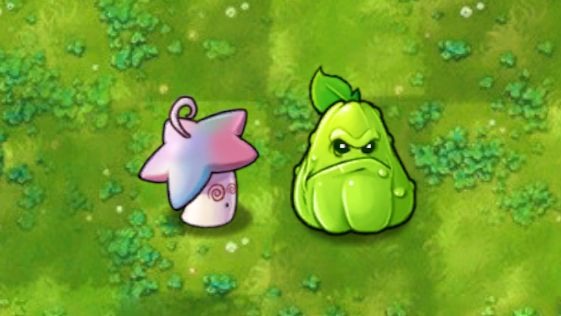
- The Timid Flower Pot: A strategic addition that changes how you build your defenses in specific environments.
- Golden Fusion Series: New “Yellow” plant variants that offer massive buffs to surrounding units.
- Destroyer Machine Gun Newspaper Zombie: A high-speed, high-damage threat that requires precise timing and fusion combos to defeat.
2. Gameplay Enhancements
- UI Improvements: A cleaner interface for the Fusion menu, making it easier to track which combinations you haven’t discovered yet.
- Balanced Difficulty: The early game has been smoothed out, while the “Endless” modes now feature scaling difficulty that tests even the most optimized Fusion builds.
- Optimization: Improved frame rates for Android emulators and low-end PC.
Download & Installation Guide
Since PVZ Fusion 3.3 is a fan-made mod, it is not available on official stores like Google Play or Steam. Follow these steps to install it safely:
For Windows PC
- Find a Trusted Source: Look for the download link on reputable community hubs (Dedicated fansites like
plantvz.online). - Download the ZIP: Download the Version 3.3 archive (approx. 400MB – 1GB).
- Extract and Run: Use WinRAR or 7-Zip to extract the folder. Locate the
.exefile (usually namedPlants vs Zombies Fusion.exe) and run it. No installation is required as the game runs as a standalone portable app.
For Android
- Download the APK: Ensure the file extension is
.apk. - Enable Unknown Sources: Go to Settings > Security and allow installation from unknown sources.
- Install & Play: Open the APK file and follow the prompts. Note: Due to high graphical demands, a mid-range phone is recommended for a smooth experience.
Comparison: v3.2 vs v3.3
| Feature | Version 3.2 | Version 3.3 (Latest) |
| Max Fusion Tiers | Tier 3 | Tier 4 & Special Golden Variants |
| Zombie Variety | Standard Modded | Advanced Machine Gun & Boss Variants |
| Performance | Occasional Lag | Optimized for High-Entity Counts |
| Language Support | Chinese Only | Chinese/English/Vietnamese Patches Available |
Pro Tips for Version 3.3
- Prioritize the Yellow Characters: The “nhân vật màu vàng” (Yellow/Golden plants) in this version are essential for clearing the new Boss levels. Focus on fusions that involve the Golden Magnet-shroom or Golden Peashooter.
- Sun Management: With the new high-cost fusions, building a “Sun-producing” frontline is more important than ever.
- Read the Recipes: Take a moment to check the Fusion Almanac to understand the hidden abilities of the 3.3 exclusives.